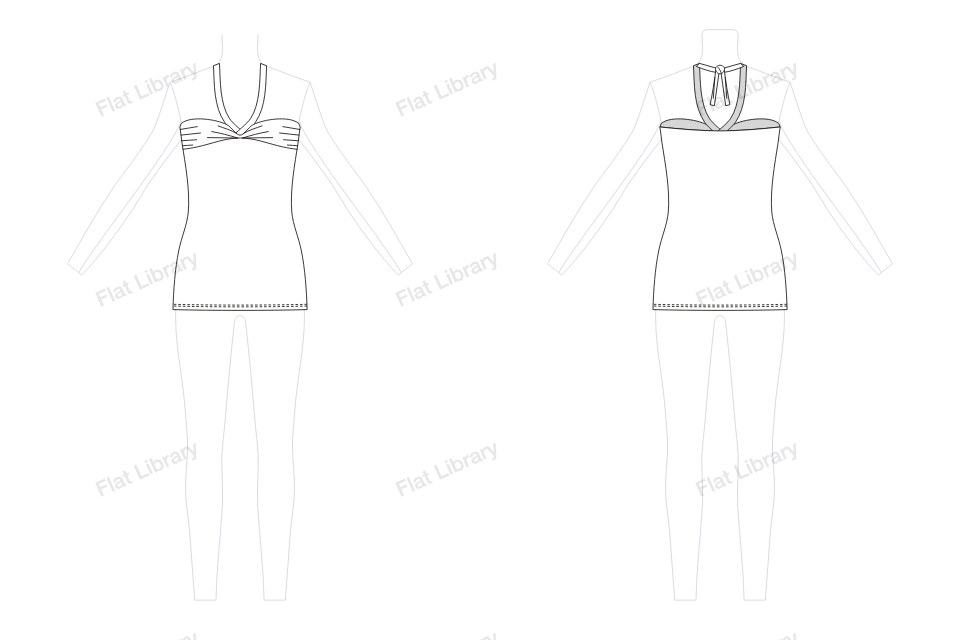
Necklines
Ruched Bandeau, Crossed Halter Straps
A halter neckline has straps that run up and around the neck, leaving the shoulders and upper back bare. This one is the Ruched Bandeau, Crossed Halter Straps, with its own details and proportions.
- Views
- Front and back, drawn together
- Named layers
- Inside Back, Halter Strap L, Halter Strap R, Body and Neck Lines
- Anchors
- 68 on the front, only where a line turns
- File
- Editable vector in Adobe Illustrator
How to draw a ruched bandeau, crossed halter straps flat in Illustrator
- Open Flat Library in Adobe Illustrator and go to Tops or Dresses, then Neckline.
- Choose Ruched Bandeau, Crossed Halter Straps from the pictures. It is drawn on the template, front and back.
- Pull the blue points to change its length, width, neck and sleeve. The front and back redraw together, and the figure stops you going too tight.
- Insert it into your document as clean, named layers, and keep working by hand.
More necklines
Ruched Bow Bust, Centre Tab, Wide StrapsBandeau, Knotted Halter StrapCowl Halter, Neck BandStand Collar Halter, Teardrop KeyholeShirt Collar Halter, Open BackSquare Scoop, Cap Straps, Lace-up Panel NeckBandeau, Centre TabOff-Shoulder V, Shoulder StrapsBandeau, Tight Centre KnotBandeau, Knot with Long TailsCrossed Bands CamiSquare Neck, Wide Straps