Necklines
Bandeau, Centre Tab
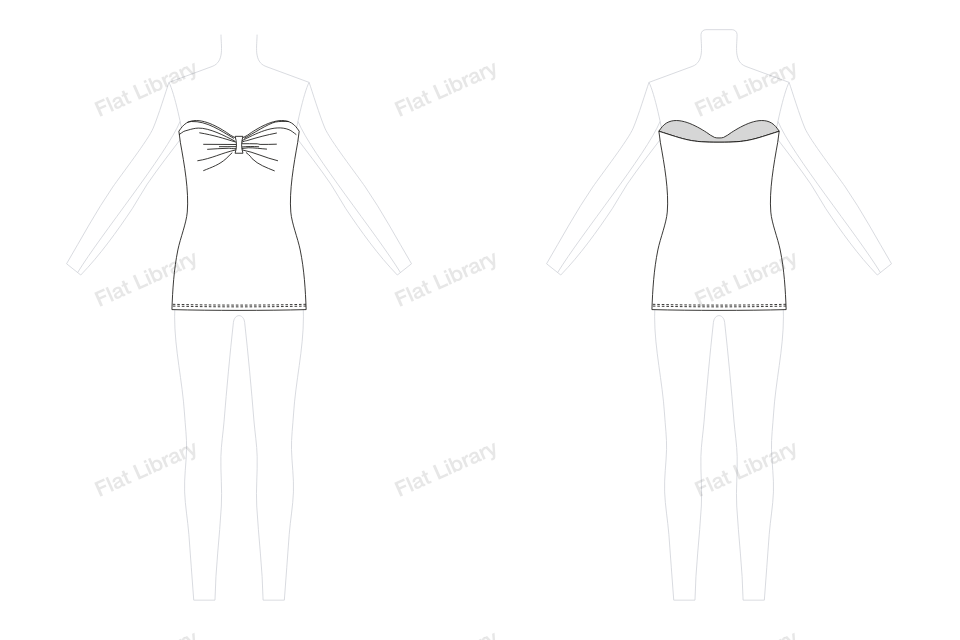
A ruched bandeau is a soft strapless top, gathered all over, with an inverted V at its foot. This one is the Bandeau, Centre Tab, with its own details and proportions.
- Views
- Front and back, drawn together
- Named layers
- Body, Neck Lines and Centre Tab
- Anchors
- 71 on the front, only where a line turns
- File
- Editable vector in Adobe Illustrator
How to draw a bandeau, centre tab flat in Illustrator
- Open Flat Library in Adobe Illustrator and go to Tops or Dresses, then Neckline.
- Choose Bandeau, Centre Tab from the pictures. It is drawn on the template, front and back.
- Pull the blue points to change its length, width, neck and sleeve. The front and back redraw together, and the figure stops you going too tight.
- Insert it into your document as clean, named layers, and keep working by hand.
More necklines
Bandeau, Tight Centre KnotRuched Bow Bust, Centre Tab, Wide StrapsOff-Shoulder Bands, Centre TabBandeau, Knotted Halter StrapBandeau, Knot with Long TailsOne Shoulder, Gathered into a Strap TabRuched Bandeau, Crossed Halter StrapsOff-centre Band V, Shoulder KnotWide Band Scoop, Open Shoulders, Centre GathersFold-over Off Shoulder, Twist CentreFaced Neck, Centre SlitRuched Sweetheart, Centre Band and Cascade