Tools · 10 min read
The best flat sketch software for fashion, compared
Seven tools come up again and again when designers ask what to draw technical flats in. They do quite different jobs. Here is what each one is good at, what it gives you and what it costs, so you can pick the right one, or the right pair.
The short answer
For a technical flat that goes to a factory, the standard is a vector drawing, and that usually means Adobe Illustrator. Most of the other tools here either help you draw in Illustrator, or do a different job next to it. Repsketch is a browser editor built on a shared library of sketches. CLO shows the garment in 3D. Procreate is for sketching ideas on an iPad. Kaledo is Lectra's suite for fashion companies. Techpacker's extension sends your flats into a tech pack. Flat Library is a plugin that draws the flat inside Illustrator, front and back, for $40 once.
A note first: we make Flat Library, one of the seven. So we have kept to facts you can check, listed our sources at the end, and said plainly what ours does not do. Prices are the US prices on each company's own site on 10 November 2026.
What is flat sketch software?
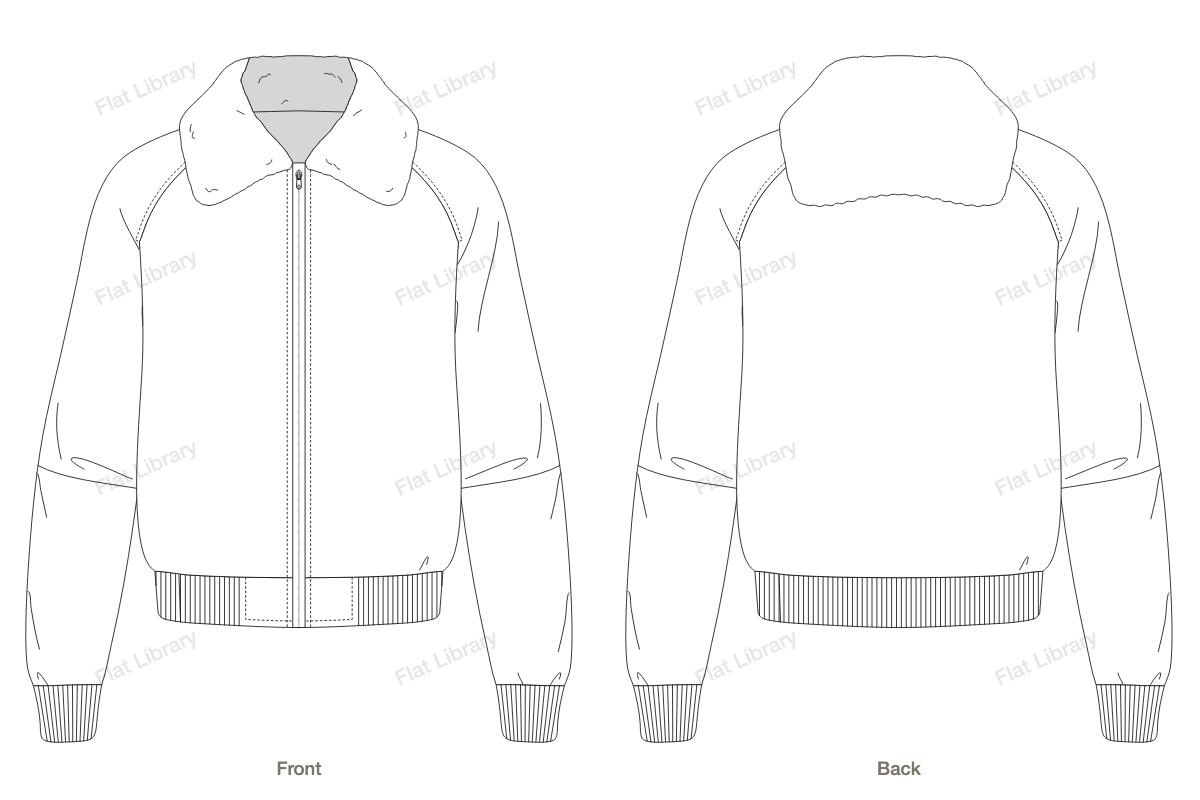
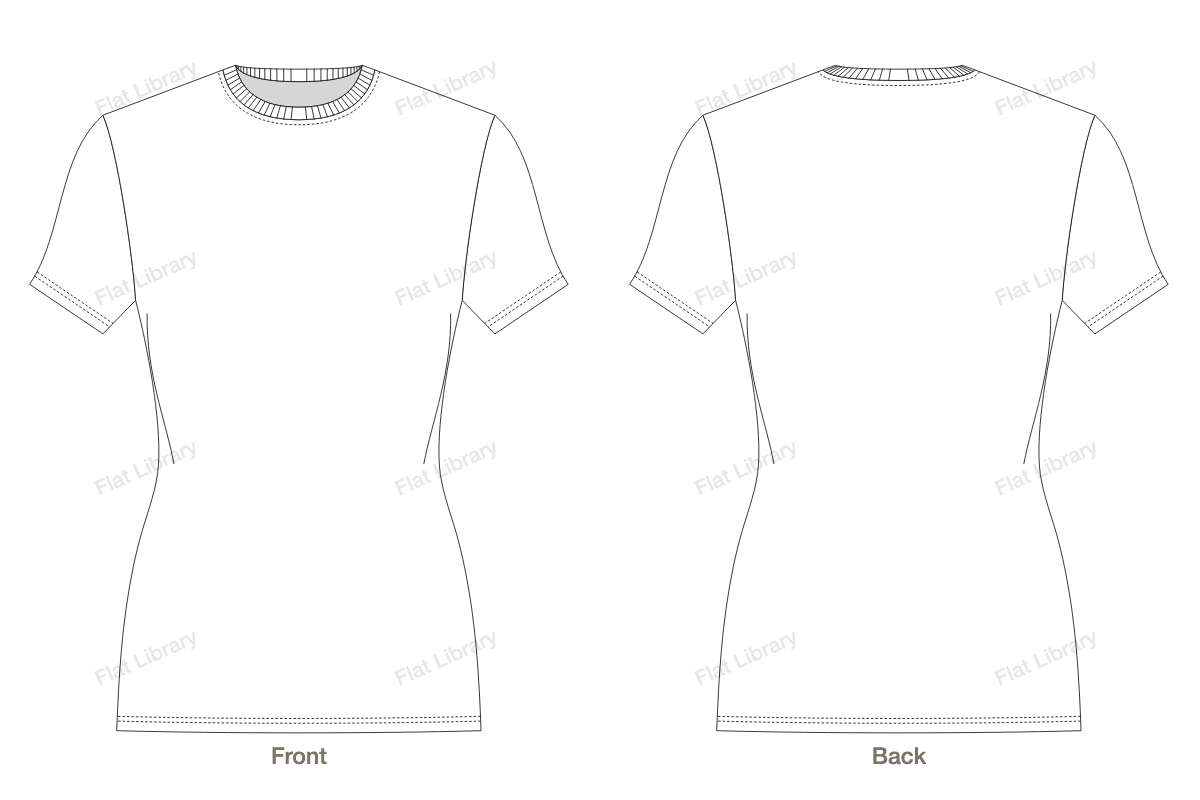
A technical flat, or flat sketch, is a line drawing of a garment laid flat, front and back, with its seams, stitching and details drawn in. It is how a designer tells a pattern maker and a factory exactly what to make, usually as part of a tech pack.
Flat sketch software is anything you draw one in. What matters is less the brand than what you get out of it:
- Vector lines. Paths that stay sharp at any size and can be edited later, not a picture made of pixels.
- Front and back that match. The same side seams, hem and sleeves on both views.
- Clean files. Closed shapes, few anchor points, stitching as a single dashed line, so the next person can work on it.
- A file others can open. In practice that means AI, SVG or PDF.
How do the seven tools compare?
| Tool | What it is | Draws the flat for you? | Editable vector out? | Price |
|---|---|---|---|---|
| Adobe Illustrator | The standard vector drawing app | No, you draw it | Yes | $22.99 a month, annual plan |
| Repsketch | A vector editor in the browser, with a shared library of sketches | You start from someone else's sketch | SVG on Premium, PNG on the free plan | Free, or $19 a month ($149 a year) |
| CLO | 3D garment simulation | From the 3D garment, as a rendered image | No | $50 a month for one person |
| Procreate | A painting app for iPad | No | No, it paints in pixels | $12.99 once |
| Kaledo | Lectra's design suite for fashion companies | No, it has tools for drawing them | Vector, in its own software | Not published |
| Techpacker's extension | Sends artwork from Illustrator into a tech pack | No, it moves flats | Uses your Illustrator files | Free, with a paid Plmbr plan |
| Flat Library | An Illustrator plugin that draws garments from your choices | Yes, front and back | Yes, inside Illustrator | $40 once, with Illustrator |
Is Adobe Illustrator still the standard for technical flats?
Yes. Most fashion companies, freelance CAD artists and tech pack templates work in Illustrator, so an Illustrator file is the one least likely to cause trouble when you send it on. It has everything flats need: the Pen tool for clean curves, the Reflect tool for symmetry, dashed strokes for topstitching, brushes for stitches and zips, and layers you can name.
The catch is time and skill. Drawing a flat well by hand takes practice, and a detailed top, front and back, can take 20 to 30 minutes. Our guide to drawing technical flats in Illustrator walks through the method.
Price: $22.99 a month on an annual plan, billed monthly, with a 7-day free trial. The plan includes Illustrator on desktop, iPad and the web. It runs on Mac and Windows.
Best for: anyone who sends flats to other people, and anyone who wants full control of every line.
What is Repsketch, and who is it for?
Repsketch is a vector editor that runs in your web browser, with nothing to install. Its idea is sharing: designers upload sketches to a public library, and you clone one and change it to make your own design. It also offers AI image credits for turning a sketch into a realistic picture.
On the free plan you can use the library and the editor and download PNG pictures, and your sketches are public. Premium, at $19 a month or $149 a year, adds SVG downloads, private sketches and more AI credits. Because the library is made by its users, what you find and how neatly it is drawn varies from sketch to sketch.
Best for: students and new designers who want to start from an existing sketch without buying Illustrator.
Can you draw technical flats in CLO 3D?
Not in the usual sense. CLO builds a garment in 3D from its pattern pieces and drapes it on an avatar, which is excellent for checking fit, proportion and fabric before a sample is made. Its Schematic Render shows that 3D garment as a technical drawing, with its silhouette, seams and topstitching as lines, and you can save it as an image for a tech pack.
That image follows the 3D garment, wrinkles and all, and it is a picture rather than vector paths you can edit. Many teams use both: CLO for the 3D work, and a vector flat drawn in Illustrator for the tech pack.
Price: $50 a month for one person (25% less paid yearly), $25 for students. Companies with two or more people need an Enterprise plan, priced on request.
Best for: designers and brands who work from patterns and want to see the garment in 3D.
Can you draw fashion flats in Procreate?
You can sketch them, and Procreate is a joy for that: quick, natural and good with colour. It paints in pixels, though, not vector. A flat drawn there has a fixed resolution, and its lines cannot be reshaped or reused the way paths can. Most designers who start in Procreate trace the final flat again in a vector app, or keep Procreate for ideas and mood boards.
Price: $12.99 once on the App Store, for iPad.
Best for: sketching ideas, illustration and colour, before the technical flat.
Is Lectra Kaledo still an option?
Kaledo is Lectra's suite for fashion design, launched in 2004. Kaledo Style covered storyboards, colourways and technical sketches, with vector drawing tools and a library of fashion lines and stitches, and it was built for design teams inside fashion companies.
Lectra does not publish a price for it. In November 2026 its Kaledo page on lectra.com leads to Lectra's general fashion page, which does not list Kaledo among its products. If your company is thinking about it, ask Lectra directly whether it is still sold and supported.
Best for: companies already working with Lectra.
What does Techpacker's Illustrator extension do?
It connects Illustrator to a tech pack. With one click, artwork on your artboard goes up to your account as a tech pack's cover image, a card or a library item, and updates there when you change it. That saves exporting and placing files by hand.
It does not draw flats, so you still make them in Illustrator first. Techpacker's help centre now says its original plugin will be retired and points users to the Plmbr PLM Plugin for Adobe Illustrator, which does the same job. The extension itself is free, but you need a paid Plmbr plan and an Illustrator subscription, and Illustrator 2019 or newer.
Best for: teams who already keep their tech packs in Techpacker or Plmbr.
Where does Flat Library fit?
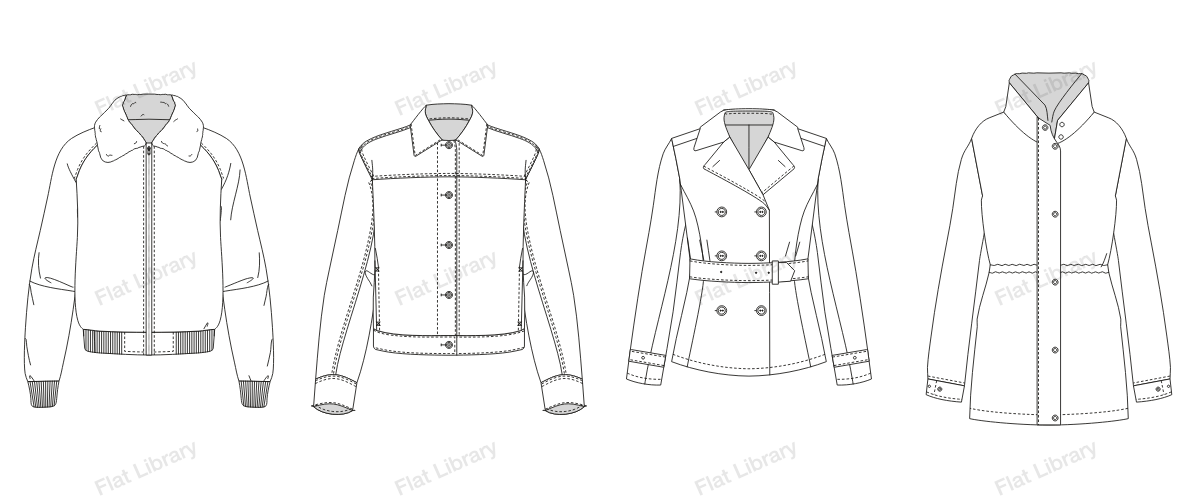
Flat Library is a plugin that works inside Adobe Illustrator. Instead of drawing a garment, you design it: choose a category and a fit, then the neckline, sleeve, hem and other details from pictures, and pull points to change its shape. It draws the front and the back together, so they always match, and inserts them into your document as clean, editable vector on named layers.
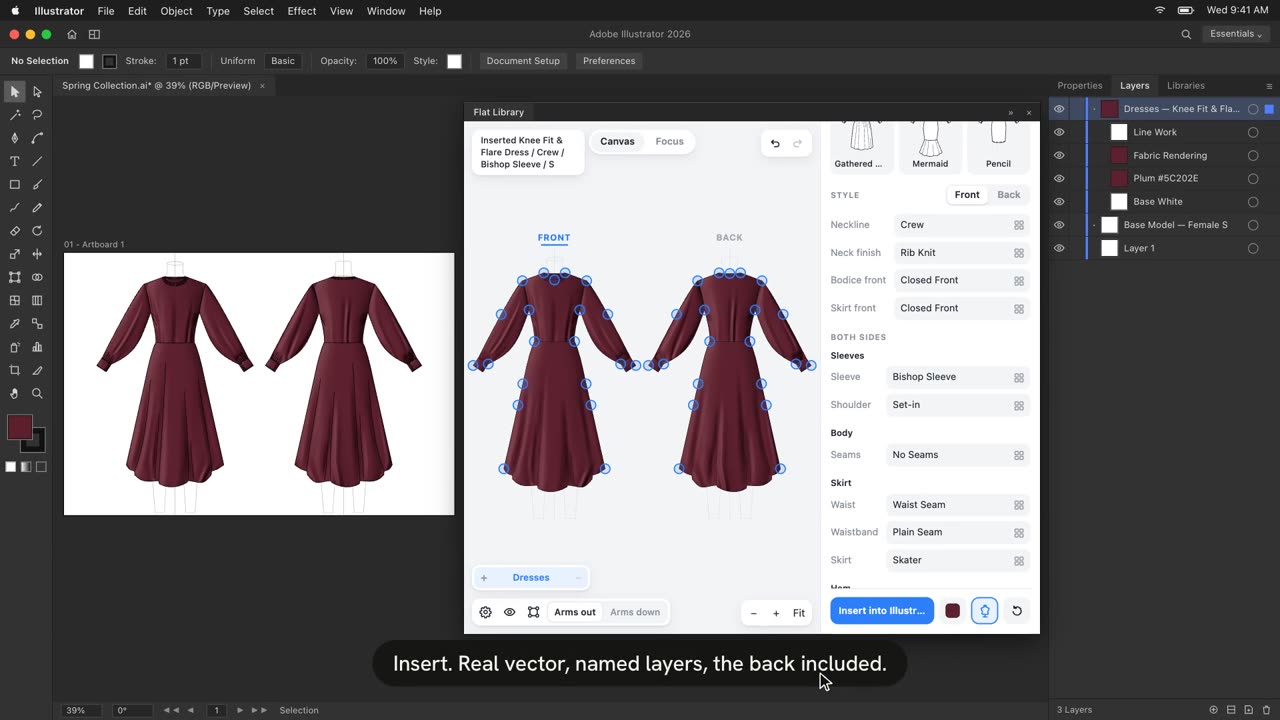
It covers tops, skirts, dresses, pants and jackets and coats, with 214 necklines, 100 sleeves and more than 700 trims and stitches, and every garment can be coloured or rendered in a fabric.
What it does not do: it does not make spec sheets or BOMs, or grade sizes. Everything is drawn on one female size S template. The installer is for Mac today, and it needs Adobe Illustrator CC 2019 or newer, so you need Illustrator too.
Price: $40 once, with updates for life.
Best for: designers and small labels who want finished flats in minutes, and people who know the garment they want but have never learned to draw a flat.
Which one should you choose?
- You are a student on a tight budget. Start free with Inkscape, Affinity or Repsketch's free plan. Learn the basics of a clean flat, then move to Illustrator when you start sending files to other people.
- You draw flats for a living. Illustrator, with your own library of blocks and stitch brushes, and a helper if it saves you time.
- You run a small label without a CAD artist. Illustrator with a plugin that draws for you, such as Flat Library, so you can make a range of flats yourself.
- You work from patterns and want to see the garment in 3D. CLO, alongside vector flats for the tech pack.
- Your company already runs Lectra or a PLM. Ask what your team uses, and look at the Illustrator extension that connects to it.
- You love to sketch on an iPad. Procreate for ideas, then a vector app for the flat.
Before you pay for anything, check four things: that it runs on your computer and your version of Illustrator, that you get vector files you can edit, that you may use what you make commercially, and what it costs over two or three years, not only this month. Our guide to Illustrator plugins for fashion design has a longer checklist.
Questions people ask
What is the best software for flat sketches?
For a flat that goes into a tech pack or to a factory, Adobe Illustrator, because flats are vector drawings and that is the file most factories and templates expect. Many designers pair it with something that saves drawing time, such as a library of templates or a plugin like Flat Library.
Is there free flat sketch software?
Yes. Inkscape is a free, open-source vector editor, and Affinity became free in 2025 with a Canva account. Repsketch has a free plan, though it downloads PNG pictures and your sketches are public. Adobe Illustrator has a 7-day free trial.
Do I need Illustrator to draw technical flats?
No, any good vector editor can draw one. Illustrator is simply what most of the industry uses, so files move easily between designers, tech packs and factories. If you send work to other people, it is worth knowing.
Can I draw technical flats on an iPad?
Yes, with a vector app. The Illustrator plan includes Illustrator on the iPad. Procreate is wonderful for sketching, but it paints in pixels, so a flat drawn there is usually traced again in a vector app before it goes into a tech pack.
Is CLO 3D better than Illustrator for flats?
They do different jobs. CLO builds the garment in 3D from its pattern pieces, which is excellent for fit and visualising. Its Schematic Render can show that garment as a line drawing for a tech pack, but the result is an image. If you need flats you can edit line by line, they are drawn in a vector app.
What file format should a technical flat be?
Vector: an AI file, an SVG or a PDF that keeps its paths. A vector flat stays sharp at any size and can be edited later. A PNG or JPG is fine for showing a design, but nobody can change its lines.
How much does flat sketch software cost?
In November 2026 in the US: Illustrator is $22.99 a month on an annual plan, Repsketch is free or $19 a month, CLO is $50 a month for one person, Procreate is $12.99 once, and Flat Library is $40 once on top of Illustrator. Kaledo has no published price.
Can AI draw technical flats?
Some tools now use AI, for example to turn a sketch into a realistic picture, and that can be useful for mood boards and portfolios. A technical flat still has to be exact and editable, line by line, so whatever made it, check that you get real vector paths you can change.
Sources
- Adobe: Compare Illustrator plans (US prices, checked 10 November 2026)
- Repsketch: Pricing
- CLO: Plans and pricing
- CLO support: Schematic Render
- Procreate on the US App Store
- Lectra: announcement of Kaledo V4R1
- Techpacker help centre: the Adobe Illustrator extension
- Inkscape, a free and open-source vector editor
- MacRumors: Canva relaunches Affinity as a free app