Necklines
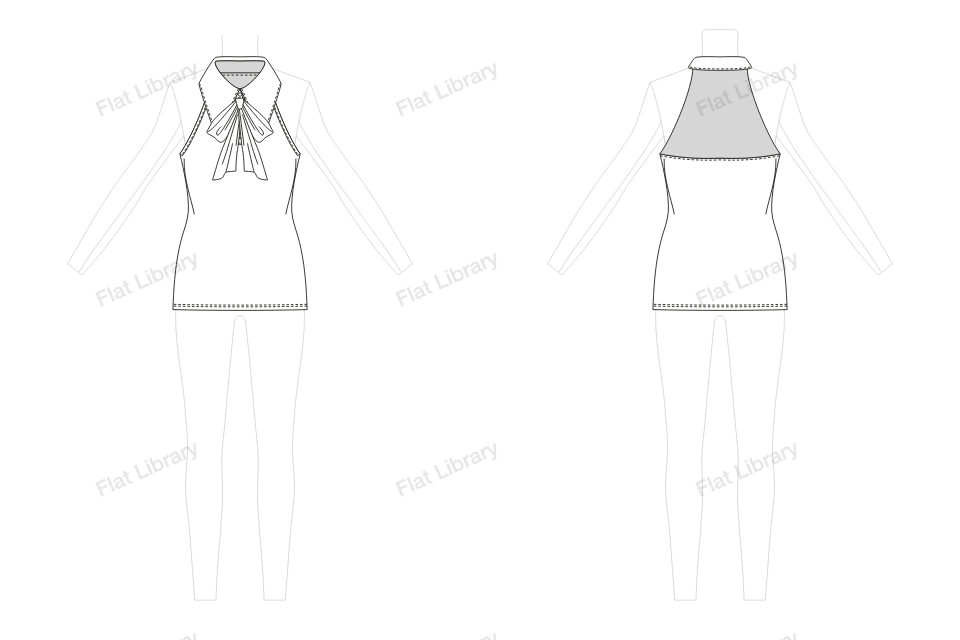
Shirt Collar Halter, Open Back
The Shirt Collar Halter, Open Back is a shirt collar on a stand. Its points, spread and finish are what set it apart from other shirt collars.
- Views
- Front and back, drawn together
- Named layers
- Body, Placket, Inside Collar, Collar Stand, Collar and Her Lines
- Anchors
- 202 on the front, only where a line turns
- File
- Editable vector in Adobe Illustrator
How to draw a shirt collar halter, open back flat in Illustrator
- Open Flat Library in Adobe Illustrator and go to Tops or Dresses, then Neckline.
- Choose Shirt Collar Halter, Open Back from the pictures. It is drawn on the template, front and back.
- Pull the blue points to change its length, width, neck and sleeve. The front and back redraw together, and the figure stops you going too tight.
- Insert it into your document as clean, named layers, and keep working by hand.
More necklines
Shirt Collar, Frilled VStand Collar Halter, Teardrop KeyholeWide Band Scoop, Open Shoulders, Centre GathersRuched Bandeau, Crossed Halter StrapsCowl Halter, Neck BandStand Collar, Bow and KeyholeWide Flat Collar, Deep VV-Neck, Raised Back StandMandarin Collar, Sweetheart WindowBandeau, Knotted Halter StrapShirt Collar, Side CascadeShirt Collar