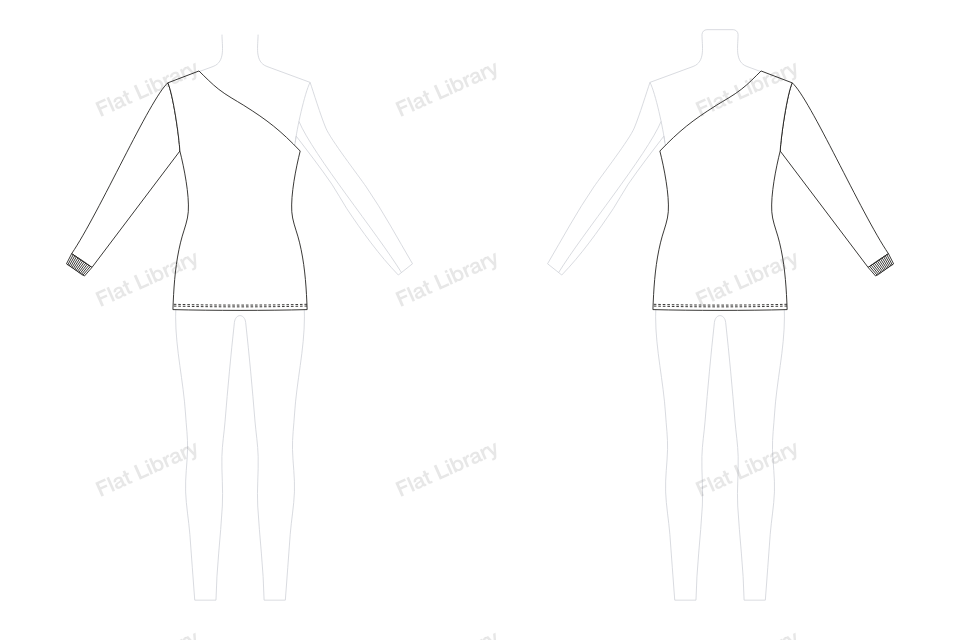
Necklines
One Shoulder, One Sleeve
A one shoulder top has a single strap, with the top edge sweeping across the body to the far underarm. One Shoulder, One Sleeve is one take on it.
- Views
- Front and back, drawn together
- Named layers
- Sleeve R, Cuff R and Body
- Anchors
- 38 on the front, only where a line turns
- File
- Editable vector in Adobe Illustrator
How to draw a one shoulder, one sleeve flat in Illustrator
- Open Flat Library in Adobe Illustrator and go to Tops or Dresses, then Neckline.
- Choose One Shoulder, One Sleeve from the pictures. It is drawn on the template, front and back.
- Pull the blue points to change its length, width, neck and sleeve. The front and back redraw together, and the figure stops you going too tight.
- Insert it into your document as clean, named layers, and keep working by hand.
More necklines
One Shoulder, Shoulder PleatsOne Shoulder, Two Thin StrapsWrapped Scarf, One SleeveOne Shoulder, Rope StrapOne Shoulder, Gathered into a Strap TabOne ShoulderOne Shoulder FlounceOff-Shoulder Bands, Centre TabOff-Shoulder V, Shoulder StrapsOne Shoulder, Fold-over CascadeExtended Shoulder, Deep UShirt Collar, Falling Off One Shoulder