Sleeves
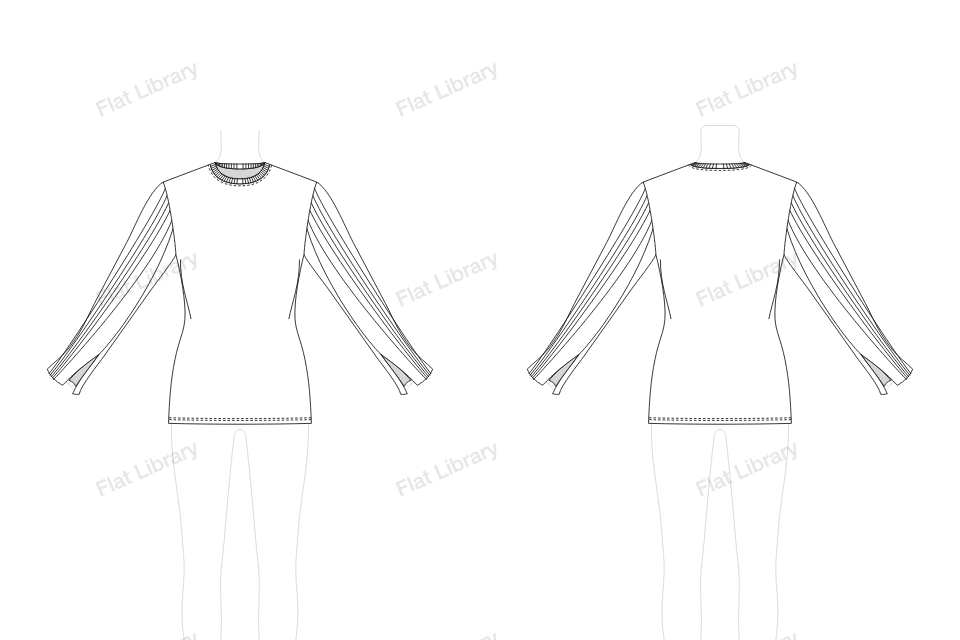
Rib Panel Sleeve, Split Hem
The Rib Panel Sleeve, Split Hem is one of the more decorative sleeves in the library, with a detail that does most of the work.
- Views
- Front and back, drawn together
- Named layers
- Sleeve L, Sleeve R, Body, Inside Back Neck and Neckband
- Anchors
- 158 on the front, only where a line turns
- File
- Editable vector in Adobe Illustrator
How to draw a rib panel sleeve, split hem flat in Illustrator
- Open Flat Library in Adobe Illustrator and go to Tops or Dresses, then Sleeve.
- Choose Rib Panel Sleeve, Split Hem from the pictures. It is drawn on the template, front and back.
- Pull the blue points to change its length, width, neck and sleeve. The front and back redraw together, and the figure stops you going too tight.
- Insert it into your document as clean, named layers, and keep working by hand.
More sleeves
Split Flare SleeveSeamed Puff Sleeve, Deep HemWide Elbow Sleeve, Slanted HemWide Raglan Sleeve, Band HemGathered Bell Sleeve, Stepped HemPushed-up Raglan Sleeve, Rib CuffShort Sleeve, Rib BandCape Sleeve, Draped HemCurved Batwing SleeveHandkerchief Flare SleeveThree-Tier Cascade SleeveWing Cape Sleeve