Skirts
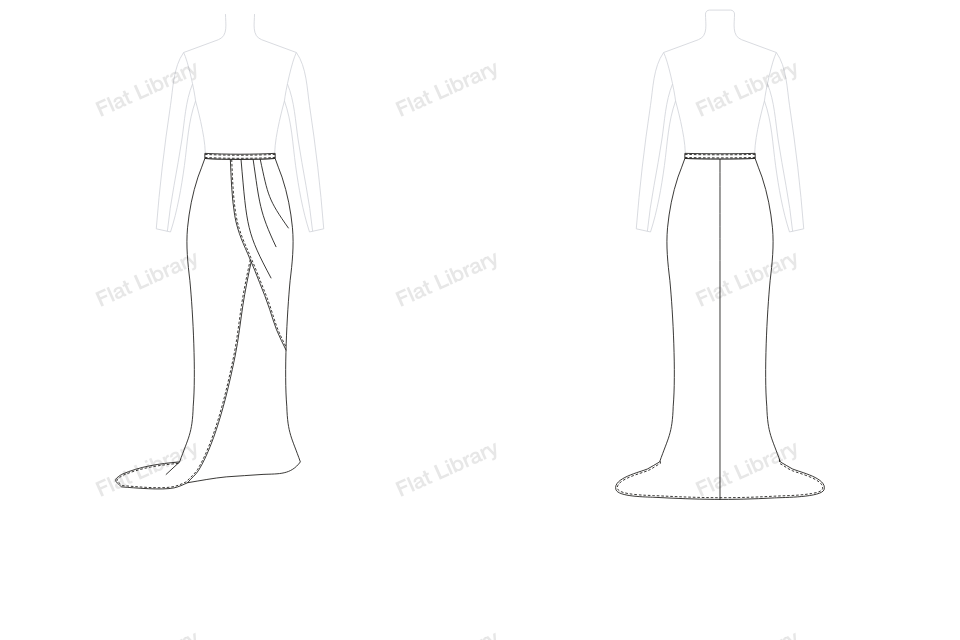
Wrap Edge to a Train, Hip Pleats Skirt
The Wrap Edge to a Train, Hip Pleats Skirt is one of the silhouettes in the skirt library, drawn front and back.
- Views
- Front and back, drawn together
- Named layers
- Body and Waistband
- Anchors
- 77 on the front, only where a line turns
- File
- Editable vector in Adobe Illustrator
How to draw a wrap edge to a train, hip pleats skirt flat in Illustrator
- Open Flat Library in Adobe Illustrator and go to Skirts.
- Choose Wrap Edge to a Train, Hip Pleats Skirt from the pictures. It is drawn on the template, front and back.
- Pull the blue points to change its length, width, neck and sleeve. The front and back redraw together, and the figure stops you going too tight.
- Insert it into your document as clean, named layers, and keep working by hand.
More skirts
Hip Knot, Draped Panels, Sweeping Train SkirtBig Rolled Hip Wrap, Mermaid SkirtLong Pleats, Side Panels to a Train SkirtGathered Point Drape, Long Cascade Edge SkirtV Hip Seam, Slit with Two Tails SkirtRuched Hip Swag, Cocoon Maxi SkirtShort Sarong, Hip Knot SkirtRuched Wrap Mini, Long Point SkirtKnot Wrap Maxi SkirtStep Hem Wrap SkirtV Flounce Seam, Frilled Wrap Opening SkirtMermaid Wrap, Cascading Ruffle Skirt