Necklines
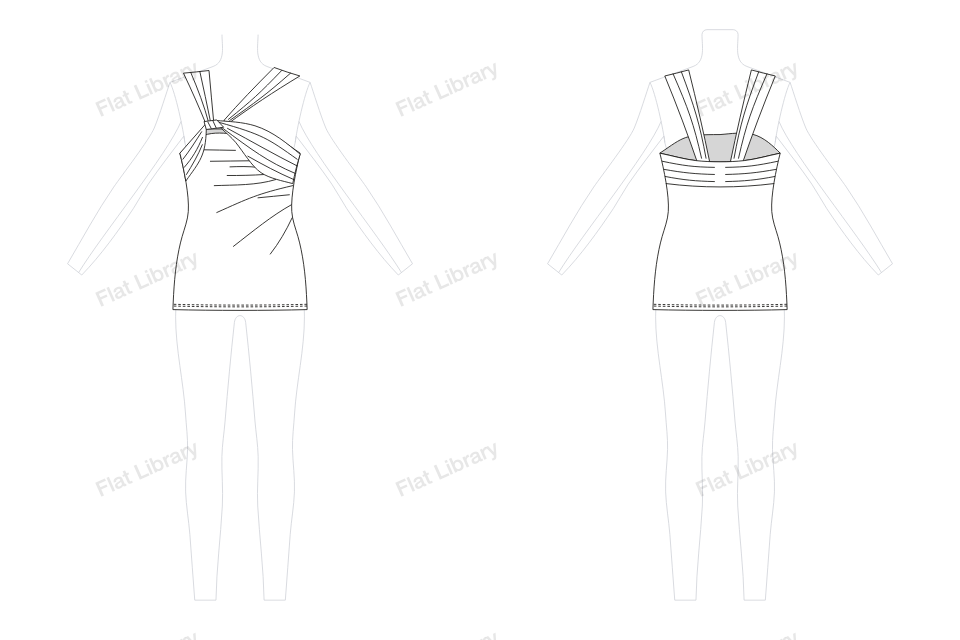
Asymmetric Twist Straps Neck
The Asymmetric Twist Straps Neck is one of the necklines in the library, ready to go on any top or dress.
- Views
- Front and back, drawn together
- Named layers
- Inside Back, Body, Neck Lines, Strap Left, Strap Right, Panel Left and Panel Right and 1 more
- Anchors
- 87 on the front, only where a line turns
- File
- Editable vector in Adobe Illustrator
How to draw a asymmetric twist straps neck flat in Illustrator
- Open Flat Library in Adobe Illustrator and go to Tops or Dresses, then Neckline.
- Choose Asymmetric Twist Straps Neck from the pictures. It is drawn on the template, front and back.
- Pull the blue points to change its length, width, neck and sleeve. The front and back redraw together, and the figure stops you going too tight.
- Insert it into your document as clean, named layers, and keep working by hand.
More necklines
Square Neck, Wide StrapsSquare Scoop, Cap Straps, Lace-up Panel NeckAsymmetric Fold-over Band, One Cap NeckStraight Neck, Double StrapsSweetheart, Wide Straps, Caged BoningBoat Neck, Short CapeWoven Ruched Bands, Diamonds NeckJewel Neck, Capelet, Long CapeEnormous Bow, Strapless NeckCrossed Neck Bands, Empire BandStrapless, Crossed Pleats NeckOne Shoulder, Two Thin Straps