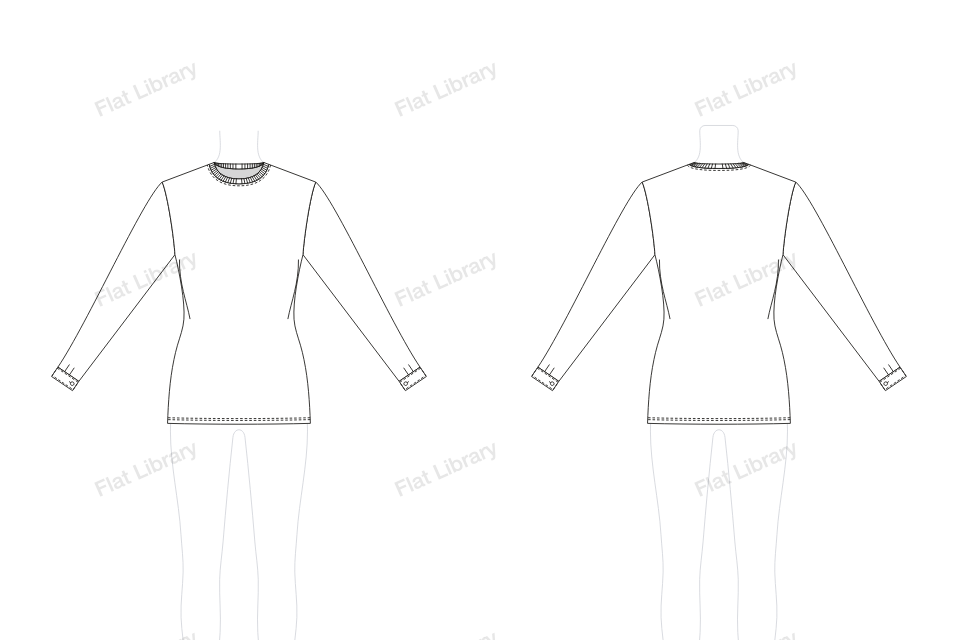
Sleeves
Shirt Sleeve, Cuff
A shirt sleeve is pleated into a buttoned cuff at the wrist, the classic woven shirt finish. This one is the Shirt Sleeve, Cuff, with its own details and proportions.
- Views
- Front and back, drawn together
- Named layers
- Sleeve L, Cuff L, Sleeve R, Cuff R, Body, Inside Back Neck and Neckband
- Anchors
- 146 on the front, only where a line turns
- File
- Editable vector in Adobe Illustrator
How to draw a shirt sleeve, cuff flat in Illustrator
- Open Flat Library in Adobe Illustrator and go to Tops or Dresses, then Sleeve.
- Choose Shirt Sleeve, Cuff from the pictures. It is drawn on the template, front and back.
- Pull the blue points to change its length, width, neck and sleeve. The front and back redraw together, and the figure stops you going too tight.
- Insert it into your document as clean, named layers, and keep working by hand.
More sleeves
Flared Cuff SleevePeasant Sleeve, Frilled CuffPuff Sleeve, Frilled CuffGathered Head Sleeve, Long CuffShelf Puff Sleeve, Slit CuffElbow Puff, Deep Cuff SleevePushed-up Raglan Sleeve, Rib CuffDropped Sleeve, Turn-back CuffLong Sleeve, Deep Seam CuffRaglan Balloon, Wide Cuff SleeveBishop SleeveBalloon Sleeve